A Linkee Alternative — Uprankly Link Builder for SEO & AI Search
Linkee finds prospects and sends emails. Uprankly does that too — plus AI drafts your pitches, classifies every reply, runs campaigns continuously with your approval, and gives each client their own portal. From $199/mo with unlimited seats.
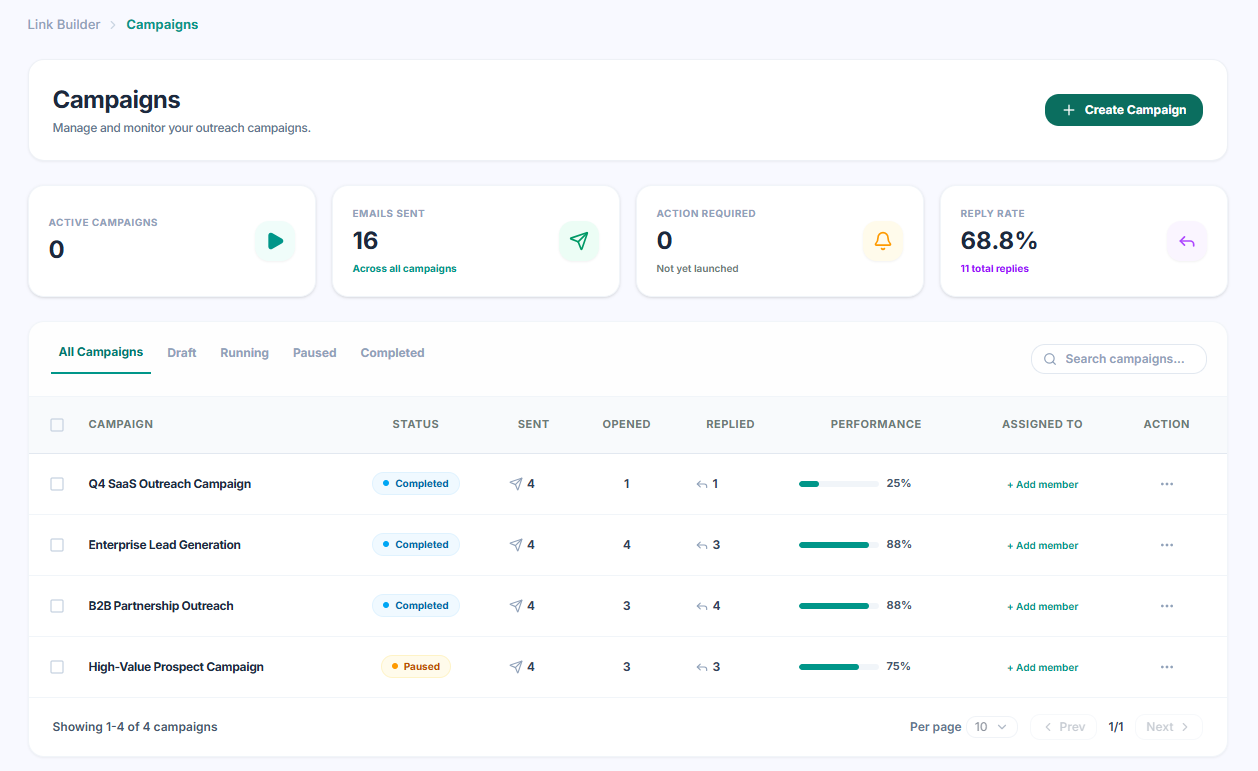
AI across the workflow. Not just prospecting.
Linkee uses AI to score prospect relevancy. Uprankly built AI into every phase — site assessment with explanations, personalised pitch writing, reply classification, pattern learning, and autonomous campaigns. Your team focuses on strategy and approvals.
Seven ways to find sites. One pipeline.
Browse 50,000+ vetted sites, mine competitor gaps, discover lookalikes, reuse past campaigns, or let AI suggest targets. Linkee has a larger database (5M+ sites) but no competitor gap analysis or lookalike targeting.
See Prospecting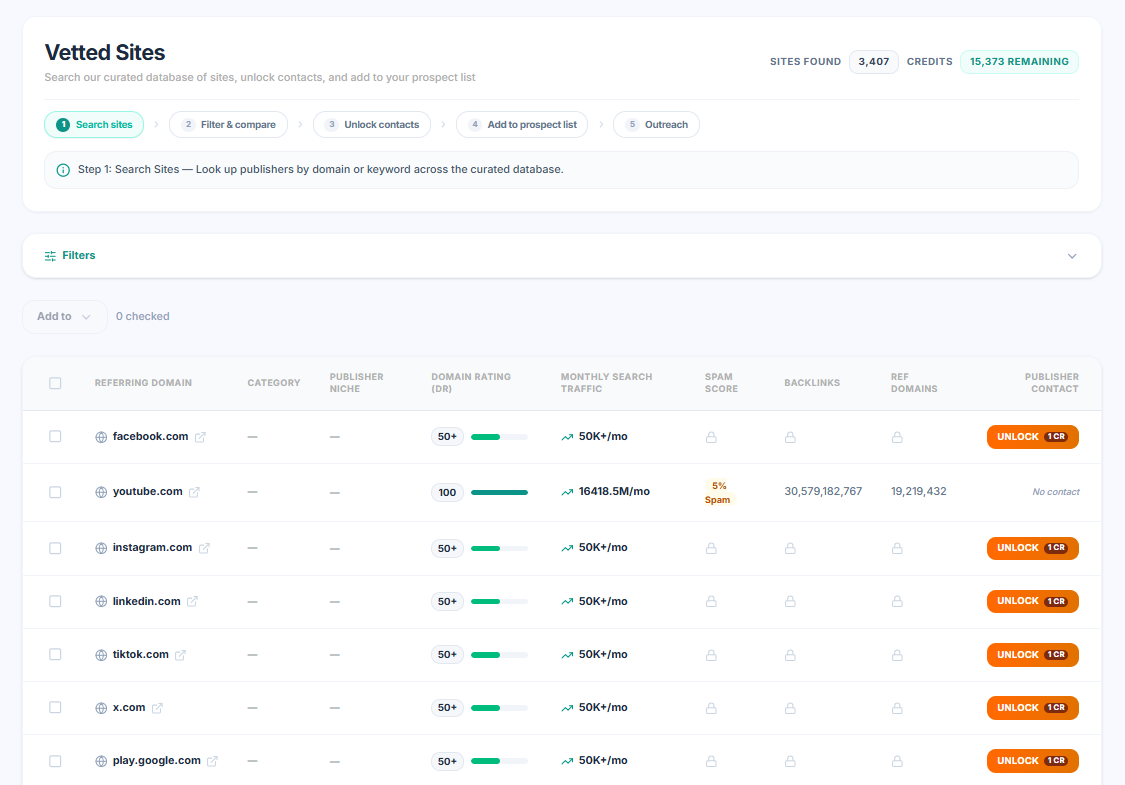
AI vets every site. Then explains why.
AI scores every prospect across critical areas — editorial fit, trust signals, spam risk, and guest post signals — then tells you in plain language why each site qualifies or doesn't. Linkee scores relevancy but doesn't explain the reasoning.
See AI Assessment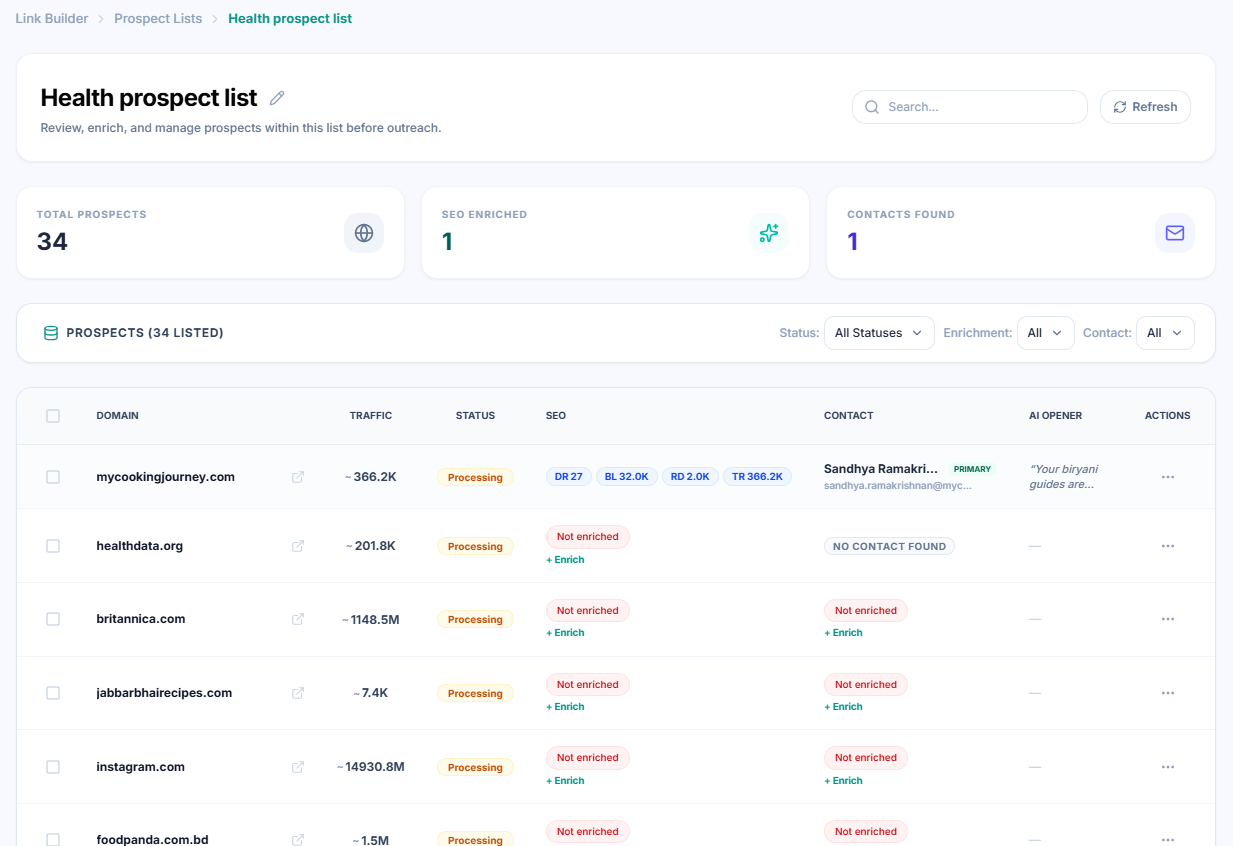
AI reads the site. Then writes the opener.
AI visits each prospect's site, understands the content, and writes a personalised opening line — not a template with merge fields. Linkee uses dynamic field personalization (name, company, URL) but doesn't read the prospect's site.
See Campaigns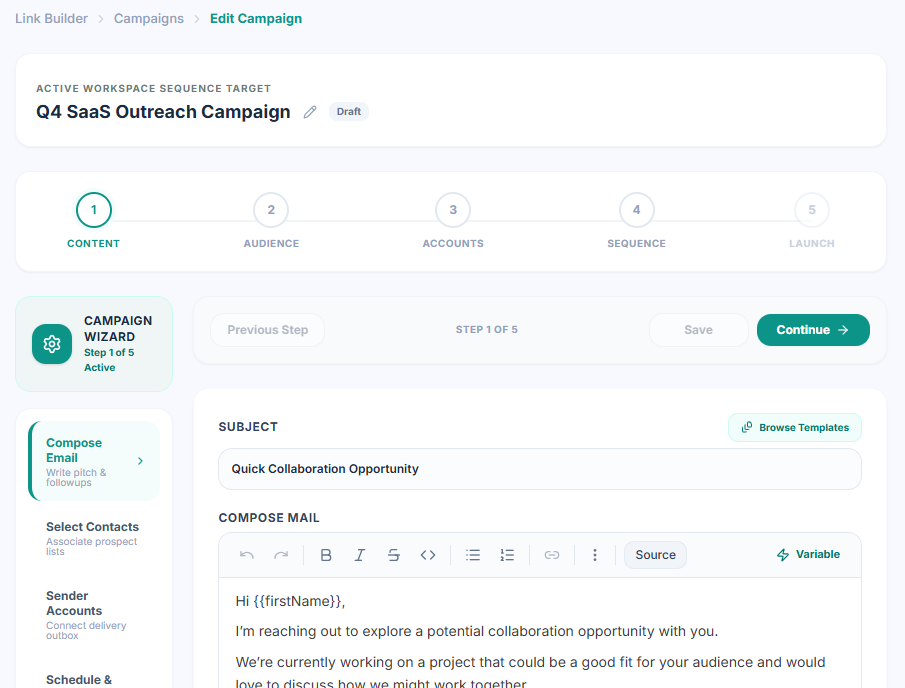
AI sorts your replies. You handle the ones that matter.
Every reply gets an intent tag — positive, question, referral, OOO, negative. AI drafts contextual responses and learns your tone over time. Linkee tracks opens and replies but doesn't classify intent or draft responses.
See AI Inbox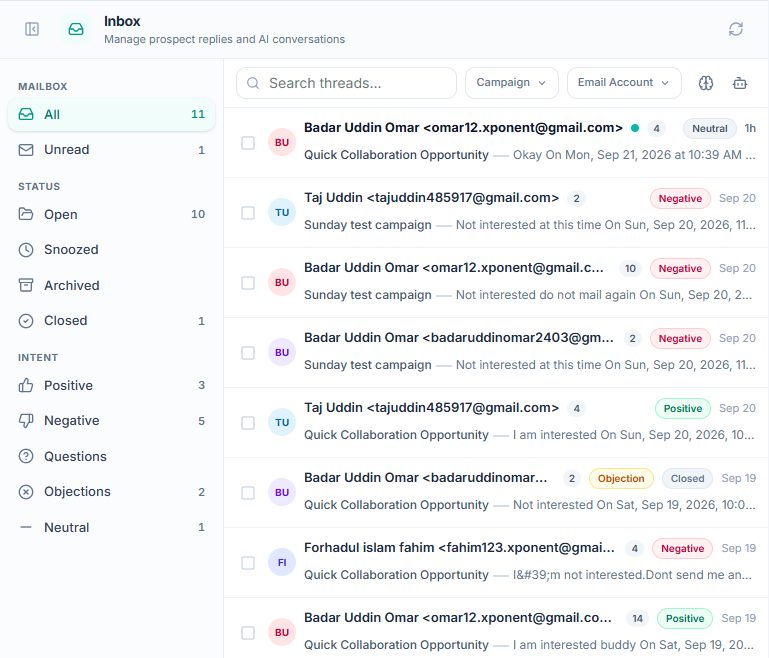
Where AI works in each platform.
Linkee AI Coverage
- AI contextual relevancy scoring for prospects
- Website categorization by type and niche
- Automated PBN and spam filtering
- Email finder with verification
- Dynamic field personalization (name, company, URL)
- No AI that reads prospect sites and writes openers
- No AI reply classification or draft responses
- No AI pattern learning from your replies
- No autonomous campaign agent
Uprankly AI Coverage
- AI site assessment across critical areas — with explanations
- AI reads each site and writes personalised openers
- Smart AI Inbox — classifies intent, drafts replies, learns your tone
- AI Link Agent — daily prospecting, outreach, and follow-up with human approval
- Built-in SEO data and contact discovery — no extra tools
- Plan campaigns with the Link Planner
- Client portal with approvals and white-label reports
Enable the agent. It runs the campaign.
Your campaigns keep running while your team sleeps. The agent prospects daily, qualifies sites, sends outreach, follows up, and classifies replies — you approve every placement. Linkee has no autonomous agent; campaigns stop when your team stops.
See AI Agent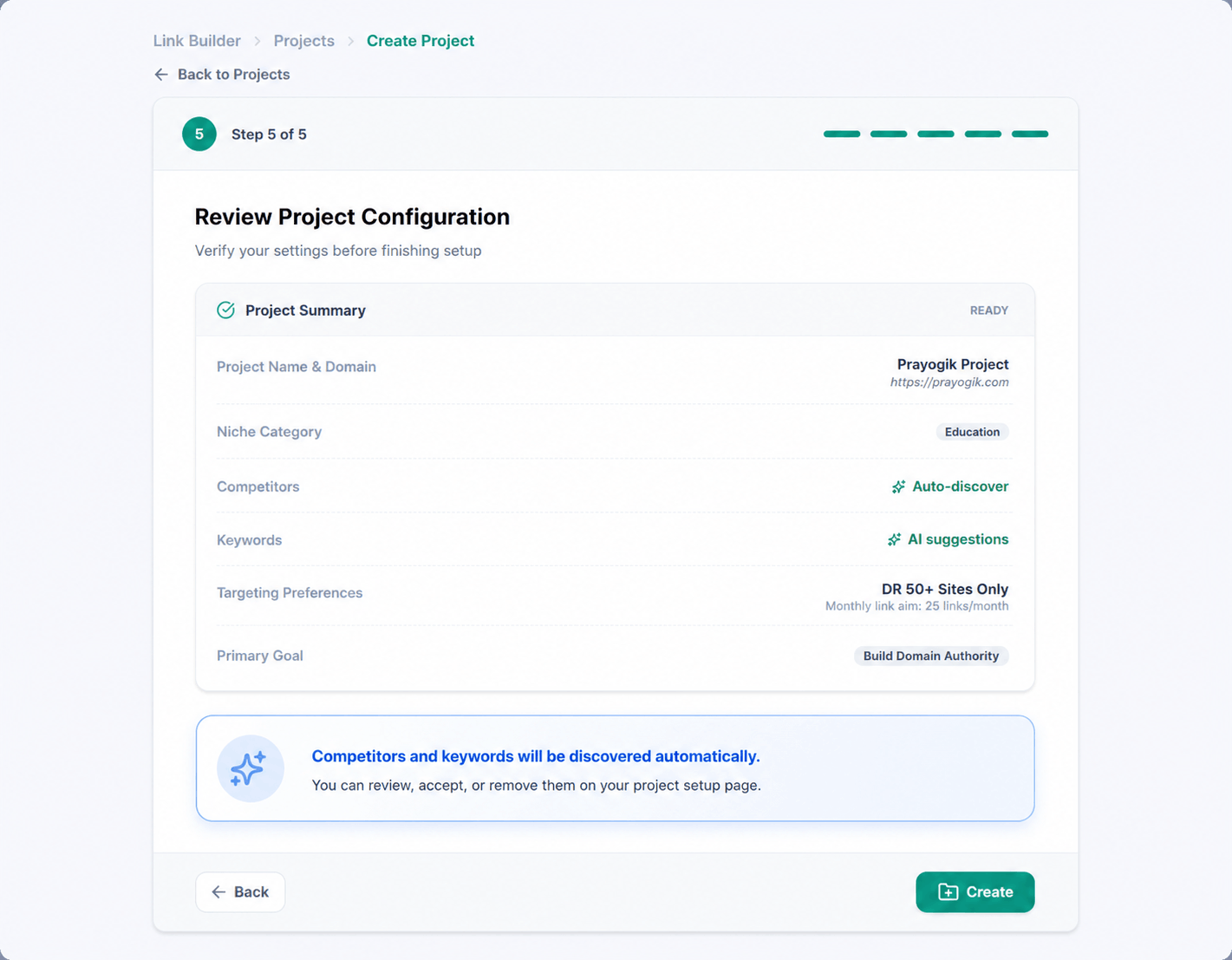
Every client gets their own workspace.
Stop emailing spreadsheets to clients. Each client logs into their own branded portal — approve prospects, track orders, review delivered links, and message your team. Linkee has no client portal and no white-label reports.
See Client Portal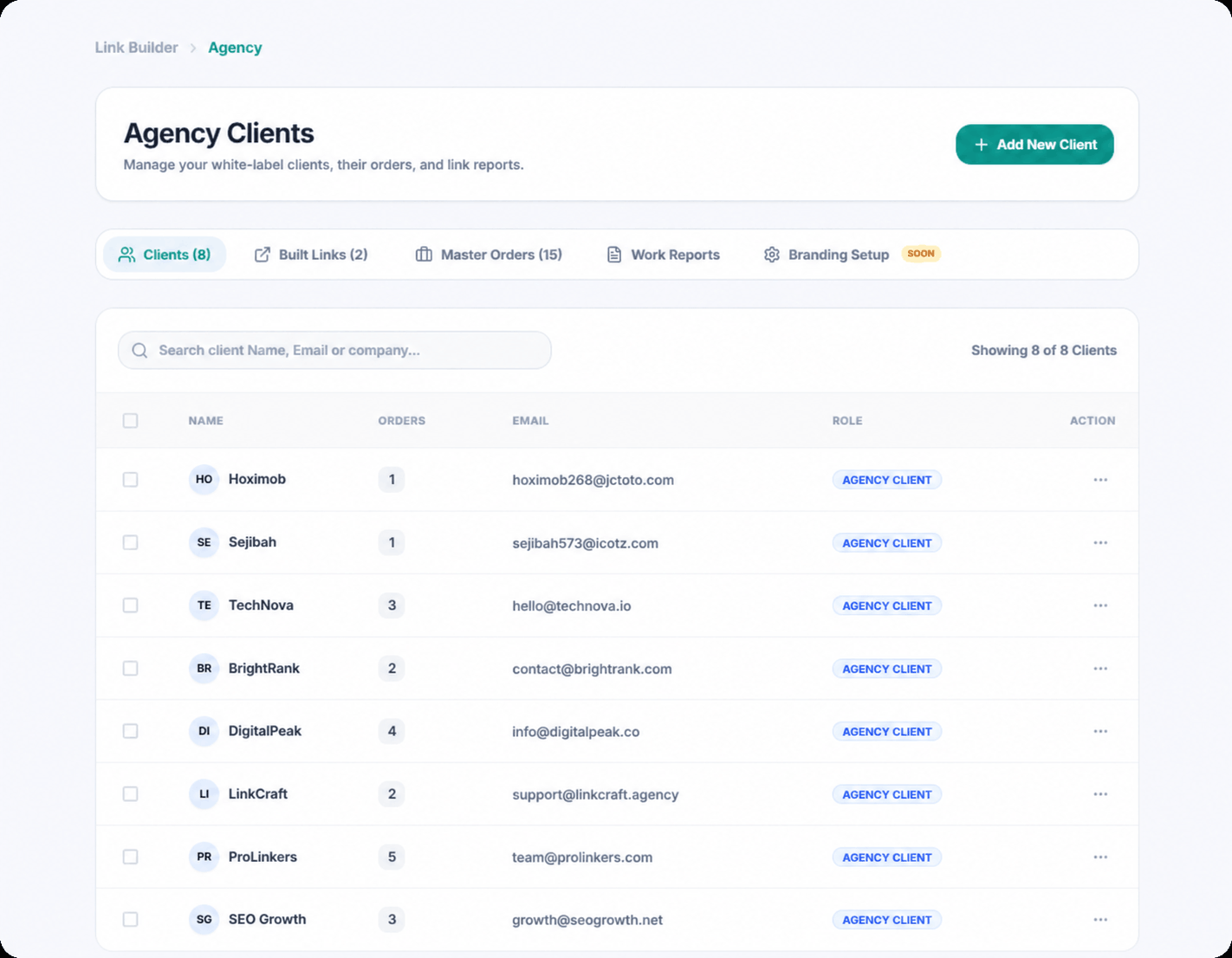
Unlimited seats on every plan. No per-user fees.
Add your full team from day one — writers, outreach specialists, account managers. No per-seat charges. Linkee's Essential ($97/mo) and Pro ($197/mo) plans limit you to 1 user. Unlimited seats require their Agency plan at $358/mo.
See Team Management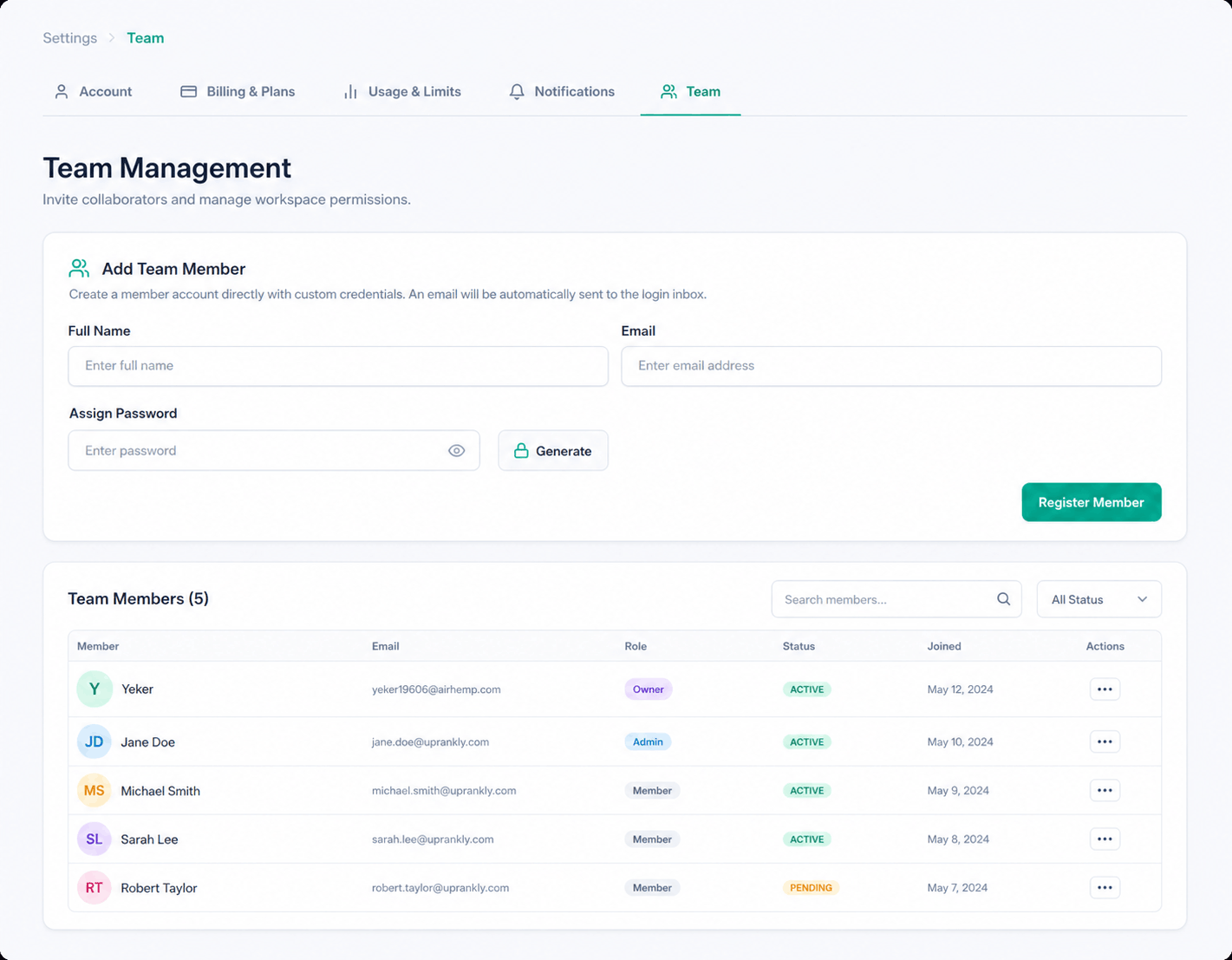
The real cost, side by side.
Linkee's Essential plan limits you to 1 user and 2 email accounts. To match Uprankly's unlimited seats and emails, you need Linkee Agency at $358/mo — 3x the cost.
Full feature comparison, category by category.
Every feature across both platforms. We included where Linkee is stronger.
 |  |
|---|
Basics | ||
Trial / Starter Access | $37 starter pack (full access) | 14-day free (500 credits) |
Starting Price (Monthly) | $199/mo (Starter) | Essential: $97/mo (1 seat) Pro: $197/mo (1 seat) Agency: $358/mo (unlimited) |
Annual Discount | Available | 20% off (annual billing) |
Month-to-Month Option | ||
Team Seats | Unlimited (all plans) | 1 / 1 / Unlimited by plan |
Email Accounts | Unlimited (all plans) | 2 / 5 / Unlimited by plan |
Projects | Unlimited (all plans) | 1 / 1 / Unlimited by plan |
Onboarding Session | Agency plan only | |
User Interface | Simple & Modern | Simple |
Prospecting | ||
Pre-vetted Website Database | 50,000+ curated sites | 5M–12M sites (raw database) |
Google SERP Scraping | ||
CSV / List Upload with Auto-vetting | ||
Ahrefs / Semrush Data Import | ||
AI Contextual Relevancy Scoring | AI site assessment with explanations | Keyword-domain relevancy score |
Website Categorization | Niche categorization | Type + niche categorization |
Automated Quality Filtering | ||
Auto Deduplication | ||
SEO Metrics Filter | ||
Competition Gap Prospecting | ||
Lookalike Prospecting | ||
AI-assisted Prospect Discovery | ||
AI & Automation | ||
AI Link Agent | ||
Smart AI Inbox | ||
AI Pitch Writing | ||
AI Site Assessment with Explanations | ||
Dynamic Personalisation Fields | ||
Follow-up Automation with Human-like Scheduling | ||
MCP Integration | Coming Soon | |
Contact Discovery | ||
Built-in Email Finder | ||
Email Verification | ||
Contact Name + Job Title Enrichment | ||
Phone Numbers + Office Info | ||
LinkedIn Profile Data | ||
Outreach | ||
Automated Email Sequences | ||
Multi-account Email Sending | ||
Email Rotation | ||
Auto-stop Follow-ups on Reply | ||
Unsubscribe Handling + Blocklist | ||
Time-zone Based Scheduling | ||
Daily Sending Limit Protection | ||
Automated Inbox Warm-Up | ||
Centralized Email Template Library | ||
Campaign Analytics (Opens, Replies, Clicks, Bounces) | ||
Client Management | ||
Client Portal | ||
Client Approval Workflow | ||
Real-time Client Comments | ||
White-label Client Reports | All plans | |
Managed Link Building Service | ||
Link Monitoring | ||
Link Planner | ||
Link Monitoring | ||
Recovery Outreach | ||
Campaign-level Goal Tracking | ||
Reporting | ||
Campaign Performance Dashboard | ||
Email Account Analytics | ||
Pipeline History | ||
Monthly Summary Report | ||
Link Delivery Confirmation |
AI at every step. Not just prospecting. Start for $37.
$37 gets you full access — 1,500 credits, the 50,000-site database, AI inbox, client portal, and unlimited email accounts. No subscription, no demo call, no contract.
- ✓1,500 credits included
- ✓Unlimited seats included
- ✓Full platform access
Questions before you switch.
Real questions from buyers who've used Linkee — including where it's stronger.
Linkee is the closest competitor to Uprankly in this category — they're not just an outreach tool, they have prospecting, AI relevancy scoring, an email finder, and automated follow-ups. The comparison is genuinely close on core outreach features.
Where they diverge: Linkee has a much larger prospect database (5–12M sites vs. 50,000+) and integrates directly with Ahrefs and Semrush. Uprankly has a Smart AI Inbox that classifies and drafts replies, AI pitch writing that reads each site before generating an opener, a client portal with domain approvals, link monitoring with recovery outreach, and unlimited team seats on every plan. Linkee's $97 and $197 plans are capped at 1 seat — you need the $358/mo Agency plan to add a second team member.