
Manage every outreach reply from one inbox.
Uprankly Link Builder collects replies from all your Gmail, Outlook, and SMTP accounts in one place. AI tags each reply by intent, drafts responses, and routes routine conversations — so your team focuses on the ones that close links.
$37 Starter Pack · 1,500 credits · No credit card required
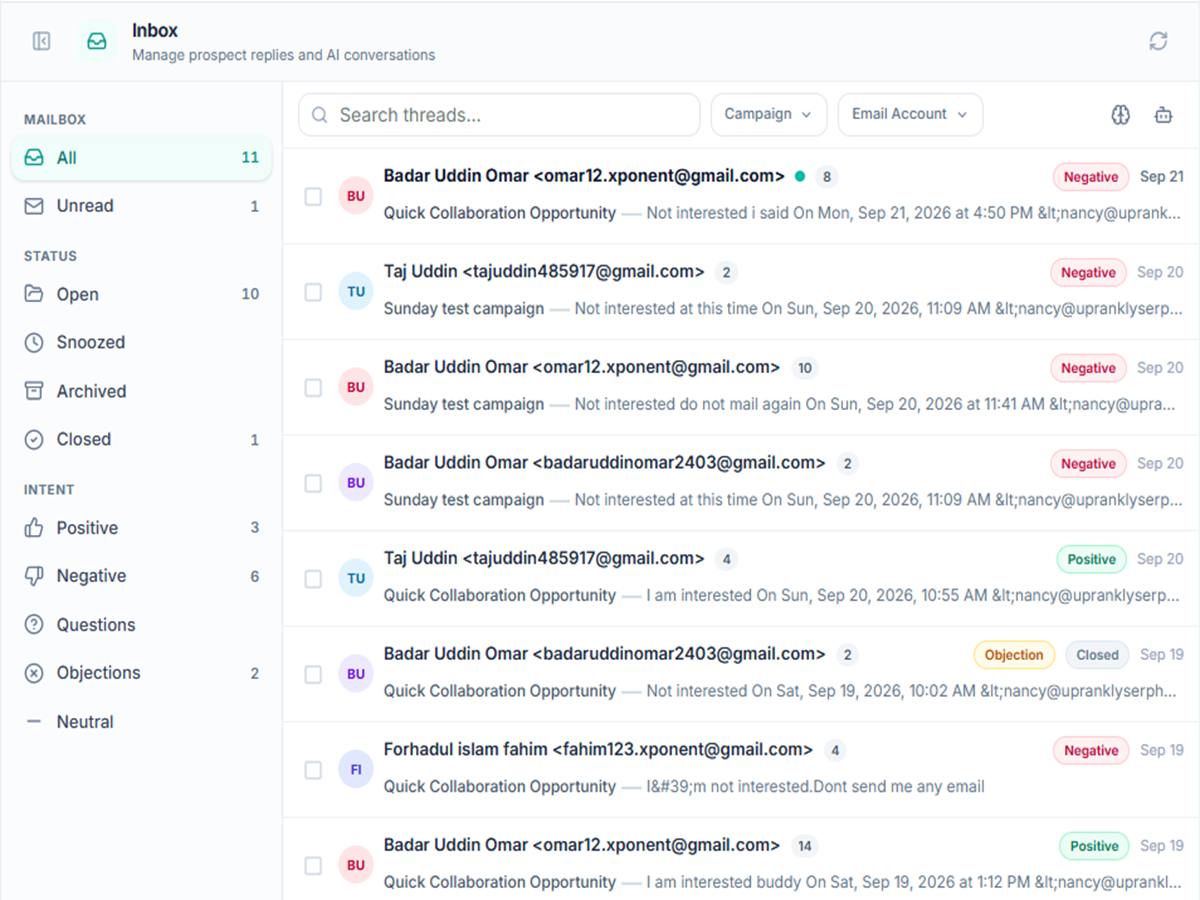
Stop triaging replies manually. Let AI sort them.
Uprankly Link Builder reads incoming replies, tags them by intent, and routes them — positive replies surface first, OOO and referrals are handled automatically, negatives get archived. Your team opens the inbox and sees what needs attention.
All accounts. All replies. One inbox.
Connect your Gmail, Outlook, and SMTP accounts. Every prospect reply lands in one inbox — no more switching between email clients. Two-way sync keeps read status consistent across both.
Get Started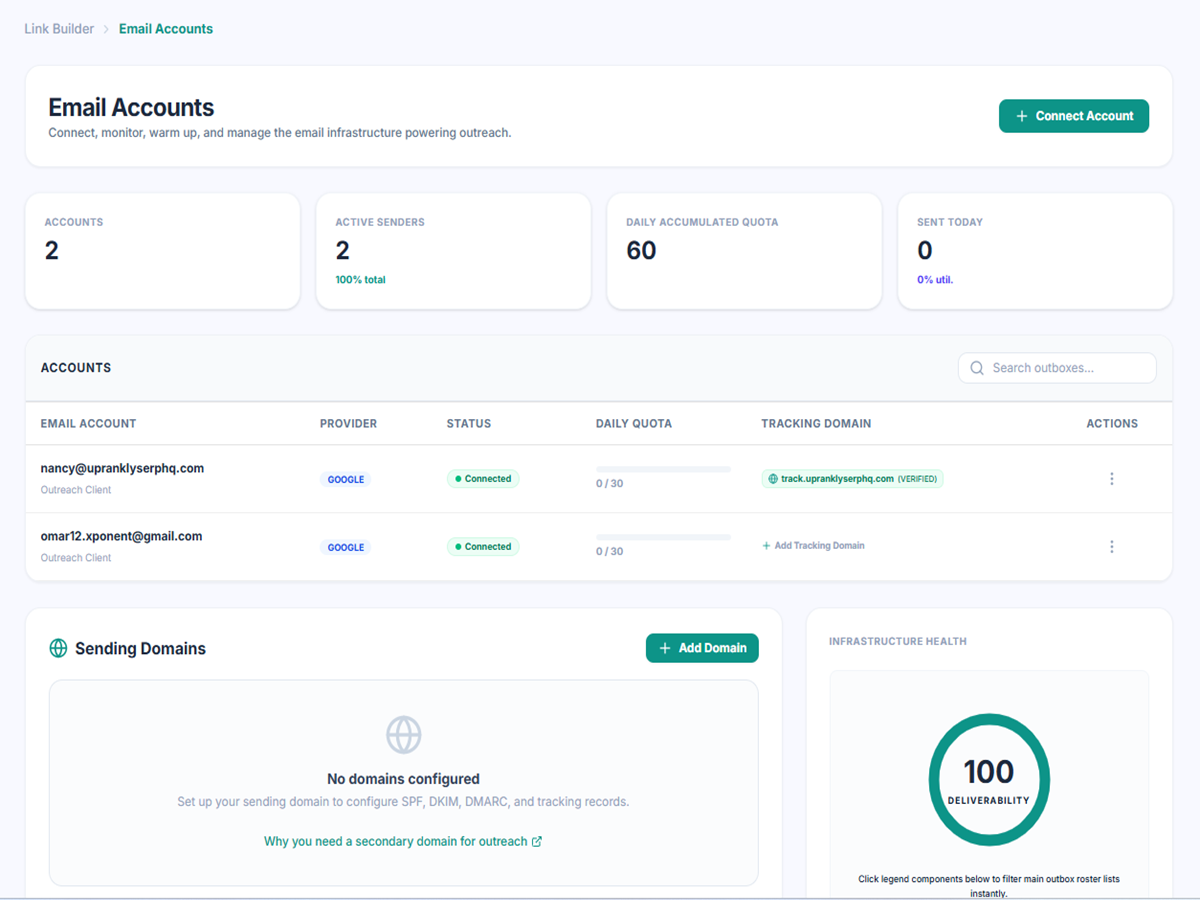
See intent before you open the thread.
Every reply gets an AI-generated tag — positive, question, objection, referral, or OOO. Filter by intent to find the conversations worth your time. No manual triage.
See How It Works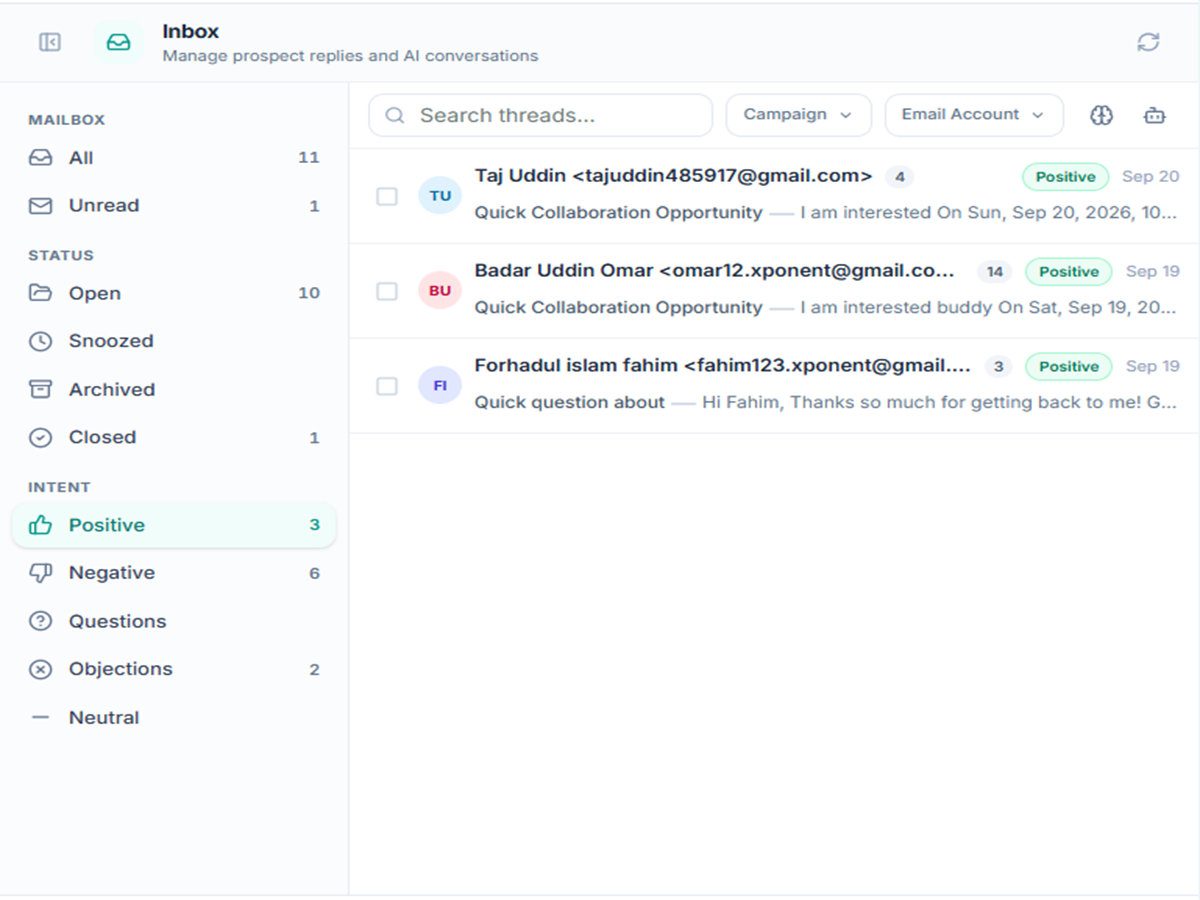
OOO, referrals, and negatives — sorted automatically.
OOO with a return date? Thread snoozed, sequence paused. Referral? New contact extracted, prospect created. Negative? Archived, sequences stopped. AI reads context, not keywords.
Explore Campaigns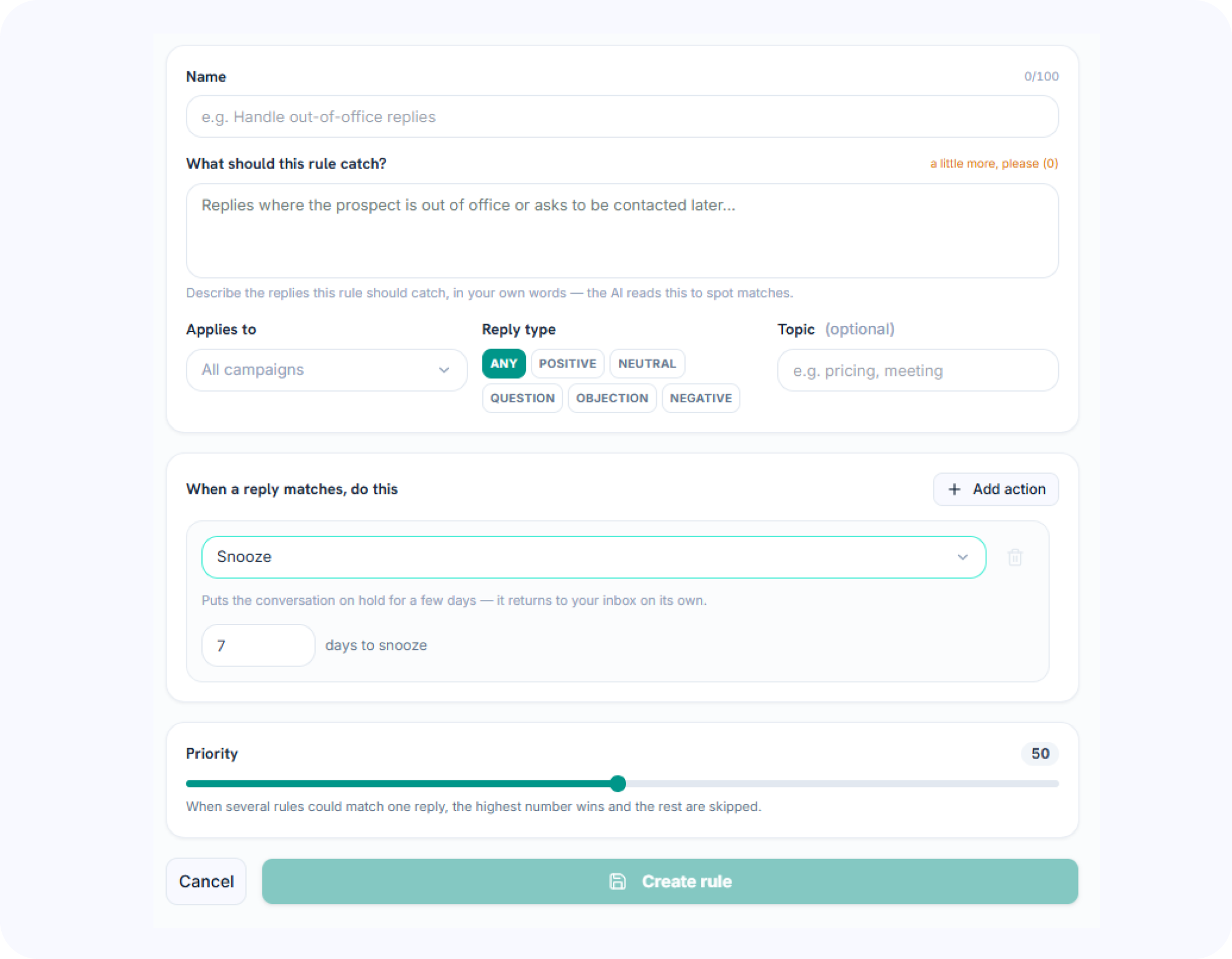
AI drafts. You review. Nothing sends without approval.
When a reply matches a known pattern, Uprankly Link Builder drafts a response using the full thread. Review, edit, or reject — you control what goes out. 0.5 credits per draft.
Get Started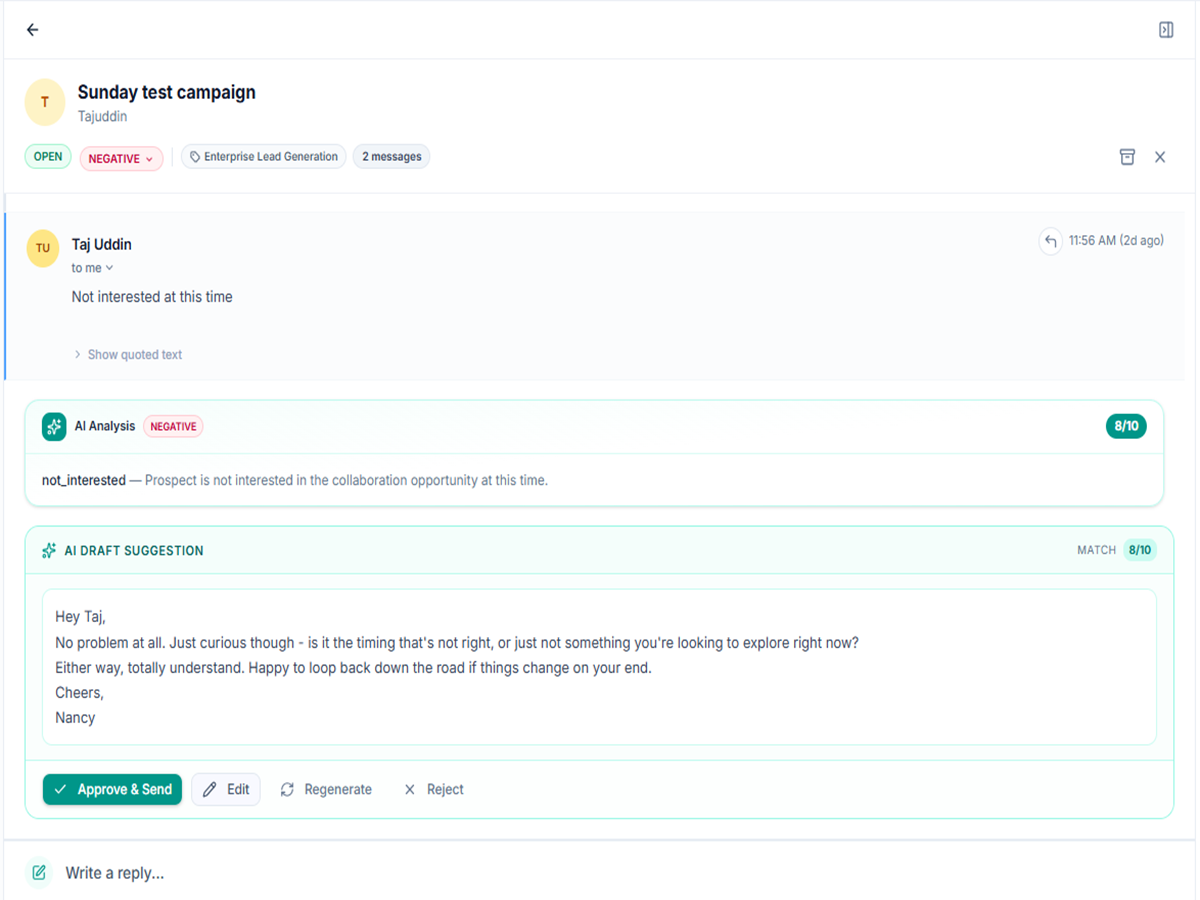
Your reply style becomes the playbook.
Every reply you send teaches Uprankly Link Builder how you handle each situation. Over time, drafts match your tone and approach — built from your actual conversations, not generic templates.
See How It Works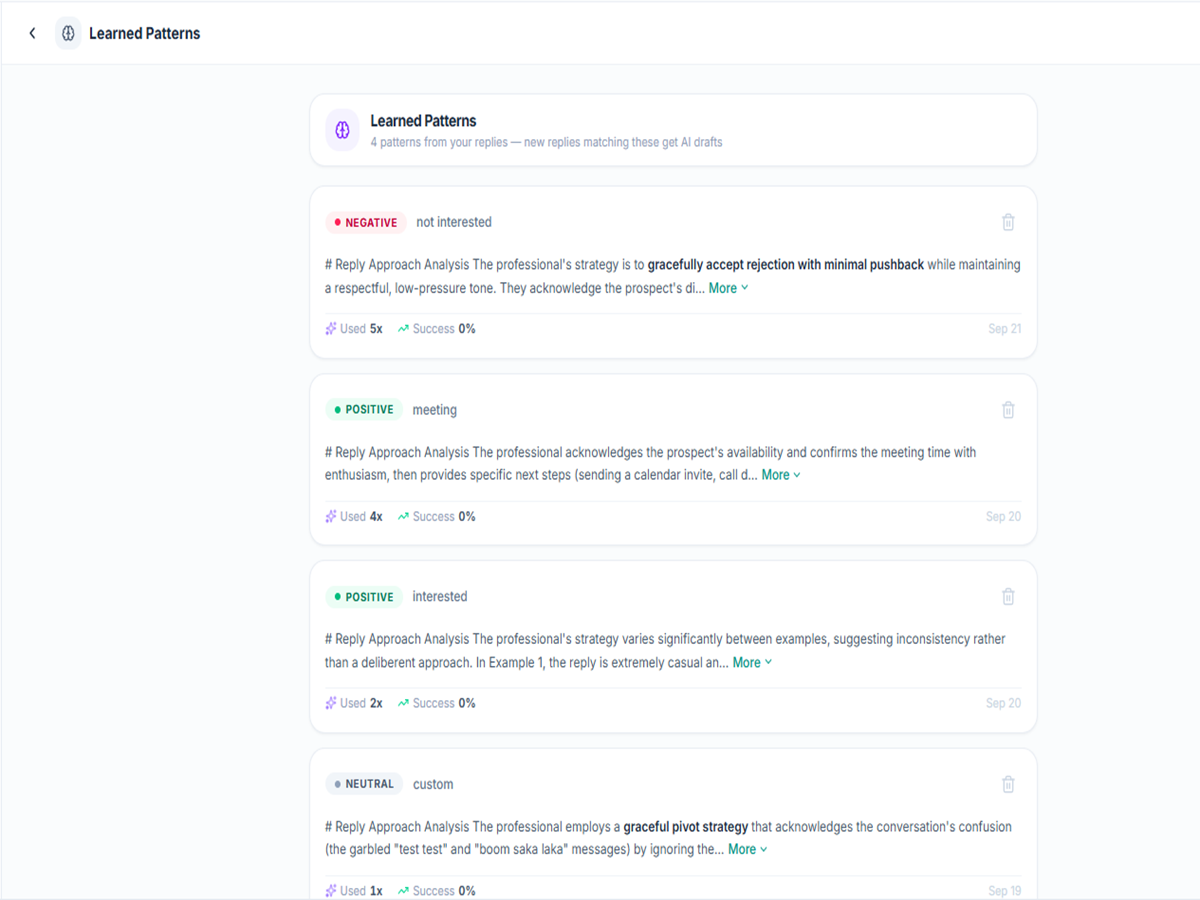
Start with drafts. Graduate to auto-send.
Begin with manual review on every draft. As you build confidence, enable auto-send for specific reply types. Set daily caps, exclude sensitive topics, and cancel any queued reply within the delay window.
Get Started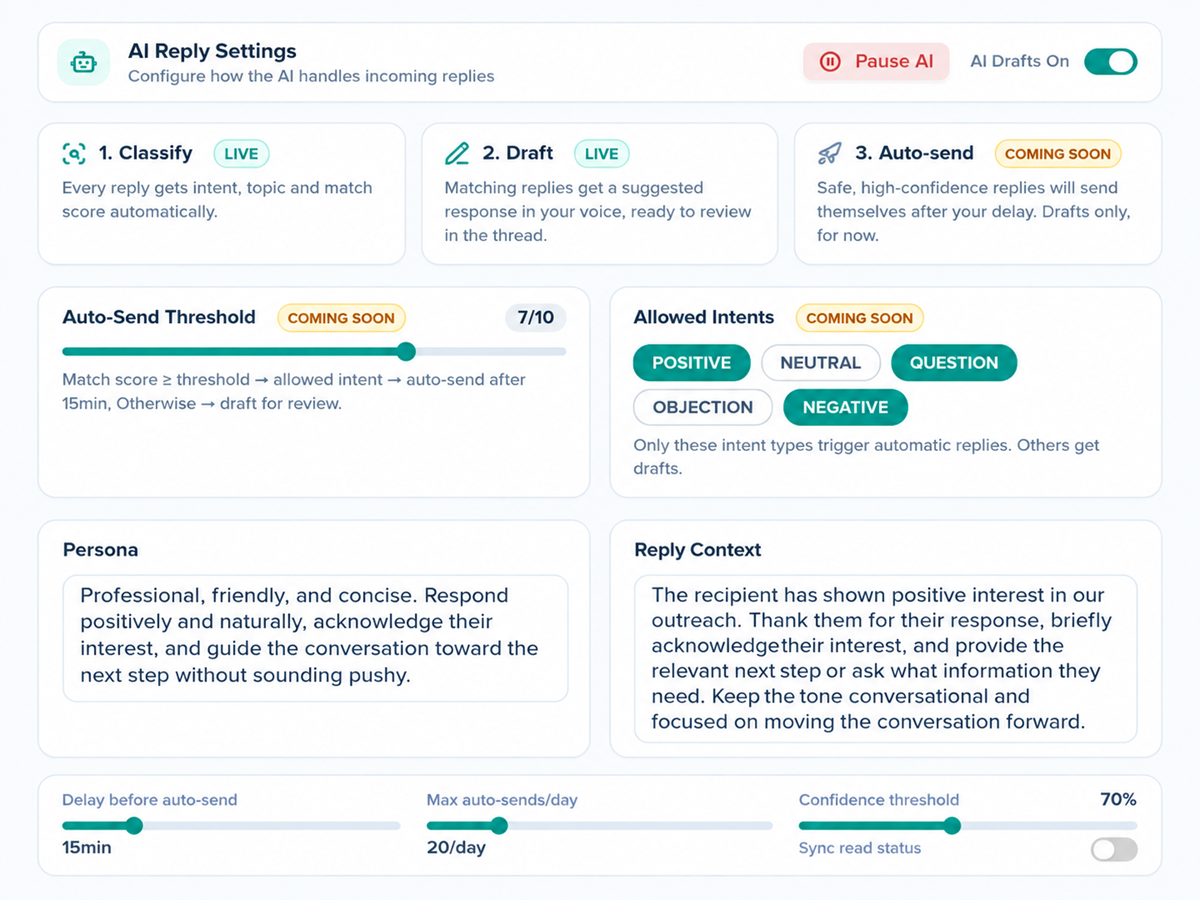
Replace inbox triage with a learning system.
Scattered Inboxes
- Check 5+ email accounts across multiple providers
- Manually triage replies — interested, OOO, spam, referral
- Copy-paste reply templates with no conversation context
- OOO replies go unhandled — prospects come back, nobody follows up
- One-way sync — read in tool, still unread in email
- No learning — same manual work on reply #1,000 as reply #1
Uprankly Smart AI Inbox
- Consolidates Gmail, Outlook, and SMTP into one inbox
- Classifies every reply by intent, topic, and urgency
- Generates drafts from the full thread context
- Routes OOO, referrals, and negatives via situation rules
- Syncs read state back to your email provider — two ways
- Learns your patterns — gets sharper with every reply
One inbox. AI-sorted replies. A system that learns from you.
Stop checking five inboxes and triaging manually. Uprankly Link Builder covers reply management — classification, drafting, routing — and improves the more your team uses it.
- ✓No credit card required
- ✓Two-way sync included
- ✓$37 Starter Pack