9 Best Link Prospecting Tools to Find Backlink Opportunities
Building a link prospect list means jumping between 4 or 5 tools, guessing which Google queries will surface linkable sites, and vetting every result by hand. Even with a prospecting tool, you still have to come up with the queries yourself.
The best link prospecting tools like Uprankly, BuzzStream, Pitchbox etc. take the guesswork out of choosing queries and vetting sites. These link prospectors turn a keyword or a competitor’s domain into a list of relevant prospects and let you identify backlink opportunities for your website.
Key Takeaways
- Choose Uprankly or Pitchbox if you want prospecting, contact finding, outreach and link monitoring in one workflow.
- Pick Ahrefs, Semrush, Moz Link Explorer, Mangools LinkMiner if you want to find the sites linking to your competitors but not to you.
- Use Linkee if you want AI to check every prospect for relevance, spam and broken pages before you pitch.
- Go with Link Prospector when you know the link type you want, such as guest posts or resource pages, and need thousands of matches.
- Try BuzzStream if long-term relationships with editors and bloggers matter more to you than outreach volume.
We tested 20 link prospecting tools to build this guide and picked the ones that help link builders find, vet and reach high-quality sites for backlinks.
Link Prospecting Tool Comparison Chart
Every tool on the comparison chart below is one we’ve used in our own link building or tested ourselves before adding it.
| Tool | Best for | Prospect Sources | Prospect Quality Checks | Contact Finding | Starting Price |
| Uprankly | SEO Agencies, In-House SEO Teams | Keyword search, competitor gap, vetted database | DR, traffic, spam indicator, competitor overlap | Yes | $199/mo |
| Pitchbox | Enterprise SEO Agencies | Live SERP search, competitor and broken backlinks | DR, traffic, PBN detection, AI relevance | Yes | $300/mo |
| BuzzStream | Digital PR Teams, Outreach Managers | Search queries, BuzzMarker browsing | Site metrics, top-10 search presence | Yes | $49/mo |
| Semrush | In-House Marketing Teams, Semrush Users | Backlink Gap (up to 5 competitors) | Authority Score, monthly visits, matches | No | $139.95/mo |
| Ahrefs | SEO Consultants, Content Teams | Link Intersect, Content Explorer, top-page backlinks | DR, traffic, language, one page per domain | No | $129/mo |
| Linkee | Link Building Agencies, Small SEO Teams | Keyword and URL matching, competitor backlinks | Relevancy, DA, spam, broken links, HTTPS | Yes | $97/mo |
| Link Prospector by Citation Labs | Freelance Link Builders, Guest Bloggers | 16 keyword reports by link type | Link Target Score | No | Pay as you go; $47/mo |
| Mangools LinkMiner | Beginner SEOs, Niche Site Owners | Competitor backlinks (new and lost) | Link Strength, CF, TF, dofollow | No | $30.50/mo |
| Moz Link Explorer | Small Businesses, Local SEOs | Link Intersect (up to 5 competitors) | DA, Spam Score | No | Free |
How We Compiled these Backlink Prospecting Tools
We evaluated each SEO link prospecting tool on how well it finds sites that will link to you. We scored prospect sources, prospect quality, list cleaning, contact finding, and price and setup, then picked the tools.
- Prospect sources: How many ways it finds prospects, such as competitor backlinks, keyword search or a site database.
- Prospect quality: Whether it scores sites on authority, traffic, relevance and spam risk.
- List cleaning: Whether it removes duplicates, broken pages and spammy domains.
- Contact finding: Whether prospects come with verified emails or need a second tool.
- Price and setup: The starting cost and how fast you can build your first list.
What Are Link Prospecting Tools? What Do They Do?
Link prospecting tools are software that find websites likely to link to you, then help you decide which ones are worth pitching. They cover the first step of earning backlinks. Before any outreach starts, you need the right list of sites, and these link prospecting tools build it.
Here’s what a link prospecting tool does:
- Finds sites that link to your competitors but not yet to your website.
- Searches live results by keyword to surface guest post, resource and review opportunities.
- Scores each prospect on authority, traffic, relevance and spam risk before you pitch it.
- Removes duplicates, broken pages and sites you have already contacted from the list.
- Pulls up verified contact emails so every prospect is ready for outreach right away.
- Tracks new and lost competitor links to spot fresh prospects as they appear.
What are the Best Link Prospecting Tools in 2026?
The best link prospecting tools in 2026 are Uprankly, Pitchbox, BuzzStream, Semrush, Ahrefs, Linkee, Link Prospector by Citation Labs, Mangools LinkMiner and Moz Link Explorer.
Each reviewed tool below explains how the tool finds prospects first, then covers pricing, features and limits, so you can see which one fills the gap in your link building workflow.
1. Uprankly
Best for: SEO Agencies, In-House SEO Teams
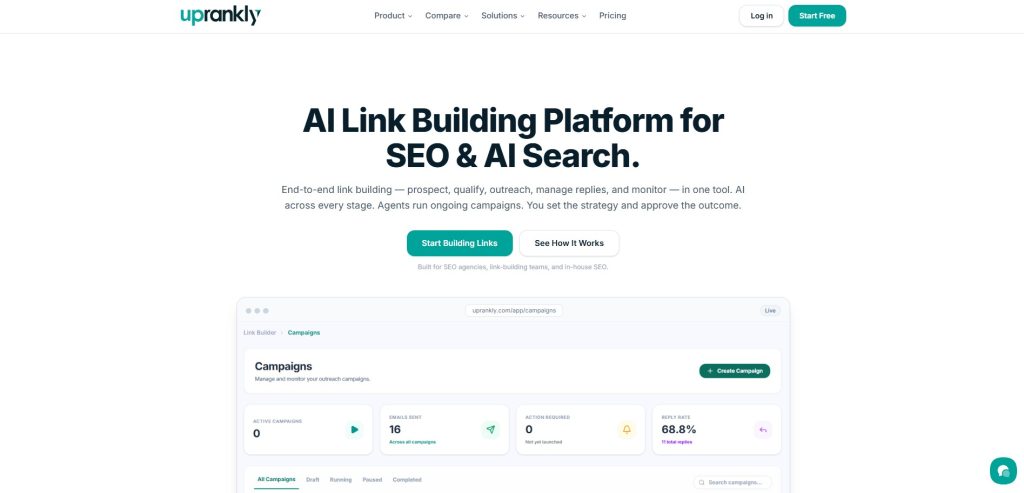
Pricing: $199/month for 1 user, $399/month for 5 users, $799/month for unlimited users
Uprankly starts your prospect list with the sites that already link to your competitors. Link Planner compares backlink profiles and shows the domains you’re missing. Link Builder then lets you search 70,000+ vetted sites by niche and DR to fill the rest of the list.
Every prospect comes with a contact, so the list is ready for outreach as soon as you build it. AI writes a personalized first line for each contact, sequences handle the follow-ups, and Link Monitor tracks the links you win. For SEO agencies, each client’s prospects, campaigns and links stay organized under team and client management.
How We Used Uprankly for Link Prospecting
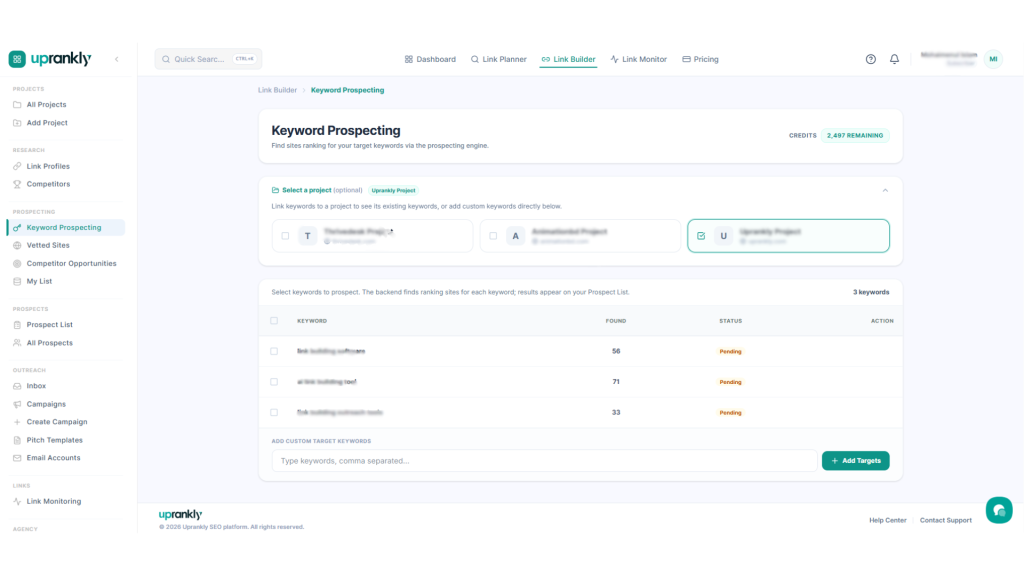
- Find Prospects by Keyword: Go to Link Builder > Keyword Prospecting, choose a project and enter your keywords, separated by commas. Click Add Targets, select the keywords and run the search to get a prospect list with each site’s metrics.
- Uncover Competitor Gaps: Open Link Builder > Competitors and click Run Competitor Scan. Click Show Gap Sites on any competitor to see the sites that link to them but not to you, each scored High, Medium or Low.
- Filter the Best Opportunities: In Competitor Opportunities, filter by DR, search traffic, competitor overlap and Max Spam Indicator. Tick the domains you want and add them to a prospect list from the Add to dropdown.
- Enrich Your Prospects: In Link Builder > Prospects, run SEO Enrichment and Contact Enrichment to add DR, backlinks, traffic and contact details. Filter by With Contact to keep only the sites you can reach.
- Generate AI Openers: Select your prospects and generate an AI opener for each one, then edit any that need a personal touch.
- Launch the Campaign: In Campaigns, click Create Campaign. Write the email with variables and add follow-ups after 1, 3, 7 or 14 days. Choose your prospect list or the Uprankly Vetted Site Database as the audience, set the schedule and launch.
Key Features
- Link Planner: Spot competitor link gaps and turn them into a link plan.
- Vetted Site Database: Search 70,000+ pre-screened sites by niche and DR.
- AI Opener: Write a personalized first line from each contact’s recent content.
- Team and Client Management: Keep each client’s prospects, campaigns and links separate.
- Link Monitor: Track placed links 24/7 and flag the ones that drop.
Pros
- Covers prospecting, contacts, outreach and link tracking in one tool.
- A $37 starter pack lets you test the full workflow before paying monthly.
- Unlimited seats on the Agency plan suit growing teams.
Cons
- The vetted database is smaller than live SERP prospecting in tools like Pitchbox.
Setup & Learning Curve: Easy. You can run a gap analysis with Link Planner for FREE, filter prospects and launch your first sequence in a single session.
2. Pitchbox
Best for: Enterprise SEO Agencies
Pricing: Pro: $300/month (2 users, 2,000 emails); Advanced: $600/month (unlimited users, 5,000 emails); Scale: $1,200/month (unlimited users, 25,000 emails)
What if your prospect list came from today’s Google results instead of a stored database?
Pitchbox searches the web in real time. Pick a campaign type such as Resource Pages, Roundups or Product Reviews, add your keywords, and it pulls matching sites straight from the SERPs.
Prospecting can also start from your competitors. You can connect Ahrefs, Semrush, Majestic or Moz, and Pitchbox turns competitor backlinks and broken backlinks into campaigns. Before anyone writes an email, an inspector passes or fails each site, so only qualified prospects reach outreach.
How We Used Pitchbox for Link Prospecting
- Pick a Campaign Type: Create a campaign and choose a keyword-driven type like Blogger Outreach, Resource Pages, Roundups or Product Reviews. For precise SERP queries, use Advanced Operator Search.
- Add Your Keywords: Enter keywords for your niche and launch the campaign. Prospecting starts automatically, and Pitchbox searches the web in real time.
- Mine Competitor Links: Connect Ahrefs, Semrush, Majestic or Moz to run Competitor Backlinks, URL Backlinks or Broken Backlinks campaigns.
- Inspect and Qualify: In the Personalize stage, open Inspect & Personalize and review each site in the Site Viewer. Mark every opportunity Passed or Failed.
- Review Contacts: Pitchbox pulls contacts from each site automatically. Reorder them by priority, and enhance key contacts with a job title or social profiles.
- Send Outreach: Set up Templates & Email Sequence in Campaign Settings. Then open Compose to preview and send, or launch the automation sequence with automatic follow-ups.
Key Features
- Real-Time SERP Prospecting: Pull fresh prospects from live Google results by keyword or search operator.
- Integration Campaigns: Turn competitors and broken backlinks from Ahrefs, Semrush, Majestic or Moz into prospects.
- Prospect Filters and Blacklist: Set a minimum DR, traffic and referring domains, and block sites permanently.
- AI Site Screening: Detects link farms and PBNs, and scores each site’s relevance with custom AI prompts.
- Built-In Contact Finder: Rank contacts by role and confidence, with editors and authors first.
Pros
- Finds fresh prospects from live search results, not a stored list.
- Deduplicates across every campaign, so no site gets pitched twice.
- Inspector roles give teams a clear approval step before outreach.
Cons
- Expensive for small SEO teams or solo linkbuilders
- You need a demo call before you can start a free trial.
Setup & Learning Curve: Steep. Expect a demo call, email setup and some time learning campaign types, custom fields and sequences before campaigns run smoothly.
3. BuzzStream
Best for: Digital PR Teams, Outreach Managers
Pricing: $49/month for 1 user, $174/month for 3 users, $424/month for 6 users; free trial available
If you’ve ever felt buried under messy spreadsheets while managing link prospects, BuzzStream is your solution. It helps you find outreach opportunities, collect contact details, and manage email outreach, all in one place.
You will appreciate how BuzzStream keeps every prospecting step structured, from identifying websites in search results to tracking replies.
How We Used BuzzStream for Link Prospecting
- Set Up Your Project: Create a new project in BuzzStream and define your outreach goals, such as building links to a guide or promoting a resource page.
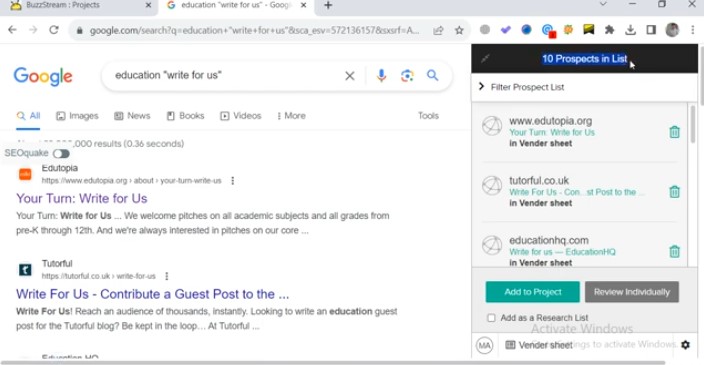
- Find Link Opportunities: Use BuzzStream’s Prospecting Module to search for websites by keyword or operator (like intitle: or inurl:). It automatically collects top results and turns them into link prospects with SEO metrics.
- Use the BuzzMarker Extension: While browsing the web, use the BuzzMarker Chrome extension to add potential websites directly to your project. It instantly grabs contact info and social profiles.
- Qualify Your Prospects: Filter results by metrics like Domain Authority, traffic, or relevance. Review each site to make sure it’s a strong fit.
- Find Contact Information: BuzzStream automatically discovers email addresses and social links, but you can also add or verify them manually.
- Manage Outreach: Send personalized email outreach campaigns from within BuzzStream. Use templates with custom fields, automate follow-ups, and track responses all in one dashboard.
Key Features
- Prospecting Module: Find and organize link opportunities directly from the web.
- BuzzMarker Extension: Add prospects, emails, and social profiles instantly as you browse.
- Outreach Management: Send, track, and automate personalized outreach campaigns from one dashboard.
Pros
- Saves time by managing all link-building steps in one dashboard.
- Improves organization for teams handling multiple outreach campaigns.
- Boosts reply rates with personalized and automated follow-ups.
Cons
- The cluttered interface makes it difficult to use.
Setup & Learning Curve: Easy. Most users can import contacts, install the BuzzMarker extension and start their first prospect list on day one.
4. Semrush
Best for: In-House Marketing Teams, Semrush Users
Pricing: Pro: $139.95/month; Guru: $249.95/month; Business: $499.95/month
Semrush’s Backlink Gap compares your domain with up to 5 competitors and lists every referring domain that links to them. Switch the filter to Best, and you see only the sites that link to all your competitors but not to you. Those are your warmest prospects.
Each prospect shows an Authority Score, estimated monthly visits and how many of your competitors it links to, so the strongest sites rise to the top.
How We Used Semrush for Link Prospecting
- Open Backlink Gap: In Semrush, go to SEO > Backlink Gap.
- Add Your Domain and Competitors: Enter your domain first, then up to five competitors as root domains, subdomains or URLs. Click an empty field to see suggested competitors.
- Find Prospects: Click Find prospects to load the referring domains for every site you entered.
- Filter for the Best Opportunities: Set the filter to Best to show domains that link to all your competitors but not to you. Use Weak to find sites that link to you less than to your rivals.
- Narrow by Quality: Apply the Authority Score filter and the advanced filters. Then sort by Matches to see the domains that link to the most competitors.
- Export Your List: Export the prospects to Excel or CSV and move them into your SEO outreach tool.
Key Features
- Backlink Gap: Compare the referring domains of up to five competitors against yours.
- Prospect Filters: Switch between Best, Weak, Strong, Shared and Unique views.
- Authority Score: Rate each prospect’s quality with one compound score.
- Matches Column: See how many of your competitors each referring domain links to.
- Competitor Suggestions: Find more competitors to compare prospects from the Backlinks Competitors and Organic Competitors reports.
Pros
- No extra cost if your team already pays for Semrush.
- The Best filter turns competitor research into a ready prospect list.
- Pro allows 3,000 requests a day, which is enough for most small teams.
Cons
- At $139.95/month to start, it’s expensive if prospecting is all you need.
Setup & Learning Curve: Moderate. Backlink Gap takes minutes if you already use Semrush, but new users have to learn their way around its wider SEO link building toolkit.
5. Ahrefs
Best for: SEO Consultants, Content Teams

Pricing: Lite: $129/month; Standard: $249/month; Advanced: $449/month; Enterprise: $999/month
Ahrefs Link Intersect features shows the sites that link to up to 10 competitors but not to you. Site Explorer pulls every page that links to the #1 result for your keyword. Content Explorer finds pages that already mention your topic.
Filters do the vetting from there. You can set a DR range and a minimum traffic level, exclude homepages and subdomains, and keep one page per domain, which can shrink a list of 78,000 pages to around 3,000. Ahrefs hands you the list and the metrics, but it has no contact finder or outreach, so emails and pitches need to be done using another tool.
How We Used Ahrefs for Link Prospecting
- Run Link Intersect: Enter up to 10 competitor domains or URLs, add your site as the target, and click Show link opportunities.
- Set the Intersect Count: Use the filter to show domains that link to two, three or more competitors. Open any domain’s snapshot from the down arrow.
- Mine a Top Page’s Backlinks: Paste the #1 result for your keyword into Site Explorer and open the Backlinks report to see every page that links to it.
- Find Mention Prospects: Search a niche phrase in Content Explorer to find pages that already write about your topic.
- Filter the List: Set Domain rating to a range such as 40–90, Website traffic from 1k and the language to English. Then exclude subdomains and homepages, and keep one page per domain.
- Export Your Prospects: Click Export, choose an export type and click Start export to download the list for outreach.
Key Features
- Link Intersect: Find domains that link to up to 10 competitors but not to you.
- Content Explorer: Discover pages that mention your topic or niche.
- Backlinks Report: See every page that links to a competitor or a top-ranking URL.
- Best by Links: Spot the competitor pages that attract the most links.
- Prospect Filters: Narrow lists by DR, traffic and language, with one page per domain.
Pros
- 3 prospecting routes in 1 tool: competitors, top pages and topic mentions.
- Link Intersect handles up to 10 competitors at once.
- Detailed filters cut thousands of pages down to a short list.
Cons
- No contact finder or outreach, so you need a second tool to pitch.
Setup & Learning Curve: Moderate. Link Intersect works within minutes, but Content Explorer filters and Site Explorer reports take some practice.
6. Linkee
Best for: Link Building Agencies, Small SEO Teams
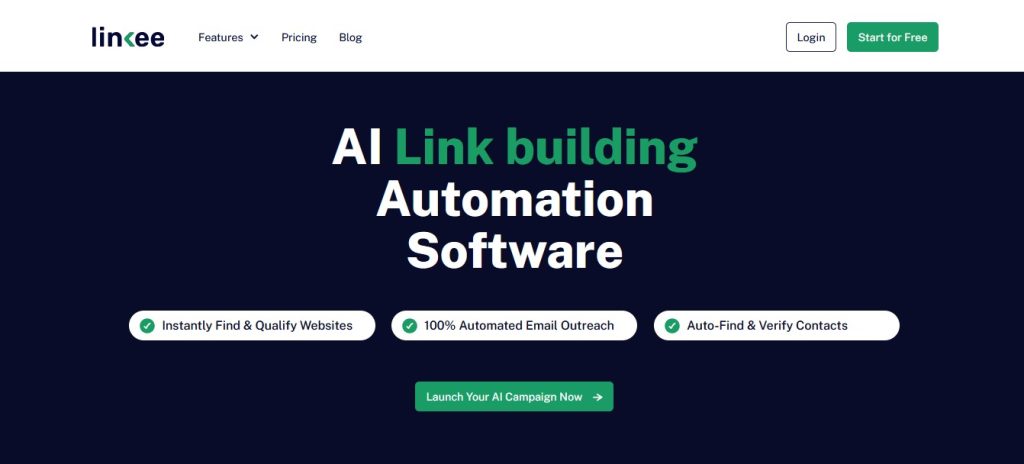
Pricing (billed annually): Essential: $97/month (10,000 credits); Pro: $197/month (25,000 credits); Agency: $358/month (60,000 credits)
Linkee builds a prospect list without PBNs, broken pages or sites you pitched last month. Pick a campaign type (Link Insertion, Guest Posting or Competitor Backlinks), and it finds sites that match your target URL or keyword.
Competitor Backlinks campaigns can even choose your competitors for you, based on your target keywords. Filters then strip out spammy domains, broken links, non-HTTPS sites and anything on your stop list. A built-in finder adds verified emails, along with each contact’s name and position.
How We Used Linkee for Link Prospecting
- Start a Campaign: Open your project from the dashboard and click Add Campaign in the top-right corner.
- Choose a Strategy: Pick Link Insertion to find existing articles, Guest Posting to find sites that accept guest content, or Competitor Backlinks to pull your rivals’ link sources.
- Set Your Targets: Follow the step-by-step setup to define your target URL and keywords. For Competitor Backlinks, let Linkee pick competitors from your keywords or add them yourself.
- Clean the List: Turn on One Link Per Domain, Prospect Deduplication, Exclude Broken Links, Secure Websites Only and Spammy Domains to remove weak sites.
- Narrow by Fit: Filter by Relevancy, Category and Industry. Use Exclude Stop List to skip domains you never want to pitch.
- Find Contacts and Reach Out: Get verified contacts with the built-in email finder, then send AI-written emails in bulk on your own schedule.
Key Features
- AI Relevance Matching: Match prospects to your target URL or keyword.
- Competitor Backlinks Campaigns: Pull prospects from your competitors’ link sources automatically.
- Quality Filters: Remove PBNs, spammy domains, broken links and non-HTTPS sites.
- Prospect Deduplication: Skip sites already in your project’s campaigns.
- Verified Email Finder: Get contact emails with names and positions.
Pros
- Finds and vets prospects in one step instead of two.
- The 14-day free trial includes 500 credits, with no card needed.
- The Agency plan includes unlimited projects and email accounts.
Cons
- You can’t edit a campaign after you create it, so a setup mistake means starting over.
- Essential and Pro allow only one project.
Setup & Learning Curve: Moderate. The step-by-step setup guides you through, but picking the right strategy and filters takes a few test campaigns.
7. Link Prospector by Citation Labs
Best for: Freelance Link Builders, Guest Bloggers
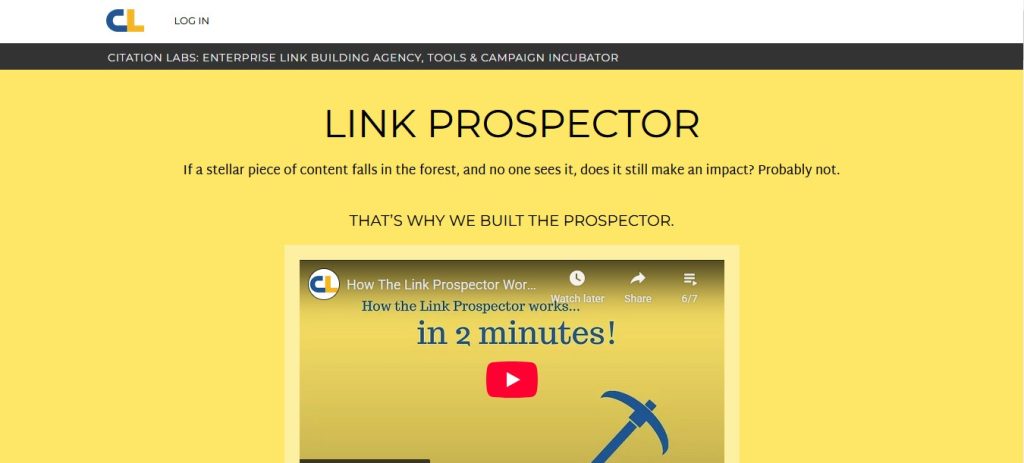
Pricing: Pay as you go: no monthly fee, $5 per credit; Consultant: $47/month (20 credits); Agency: $127/month (75 credits); Enterprise: $497/month (500 credits); Trial: $5
Link Prospector by Citation Labs lets you choose the kind of link you want, such as Guest Posts, Resource Linkers, Reviews or Links Pages, and enter a few key phrases. It returns 1000s of matching opportunities in a few minutes.
Its Link Target Score ranks every result, so the most promising sites appear first. Prospecting is the whole job here. There’s no built-in outreach, so you export the best prospects to CSV and pitch them from your outreach tool.
How We Used Link Prospector for Link Prospecting
- Choose a Report Type: Pick from 16 options grouped into content, PR, outreach and conversation reports, such as Guest Posts, Resource Linkers or Expert Interviews.
- Enter Your Key Phrases: Add the phrases that describe your topic. The tool turns them into search queries.
- Fine-Tune the Queries: Advanced users can adjust query parameters and use the keyword combiner to build large query lists.
- Run the Report: Submit it and get thousands of results within a few minutes.
- Review by Link Target Score: Sort the opportunities by score so the strongest prospects sit at the top, then single out the best ones.
- Export Your Prospects: Download the list as a CSV or send it to your outreach tool.
Key Features
- 16 Report Types: Target guest posts, reviews, resource pages, directories and more.
- Link Target Score: Rank every opportunity so the best ones appear first.
- Keyword Combiner: Build large query lists from a few phrases.
- Custom Query Parameters: Fine-tune how each search runs.
- CSV Export: Move prospects into any outreach workflow.
Pros
- Finds opportunities by link type, not only from competitor backlinks.
- The pay-as-you-go option means no monthly fee to start.
- A single report returns thousands of prospects.
Cons
- No built-in contact finder or outreach.
Setup & Learning Curve: Easy. The basic flow is three steps, but the advanced query options take some practice.
8. Mangools LinkMiner
Best for: Beginner SEOs, Niche Site Owners
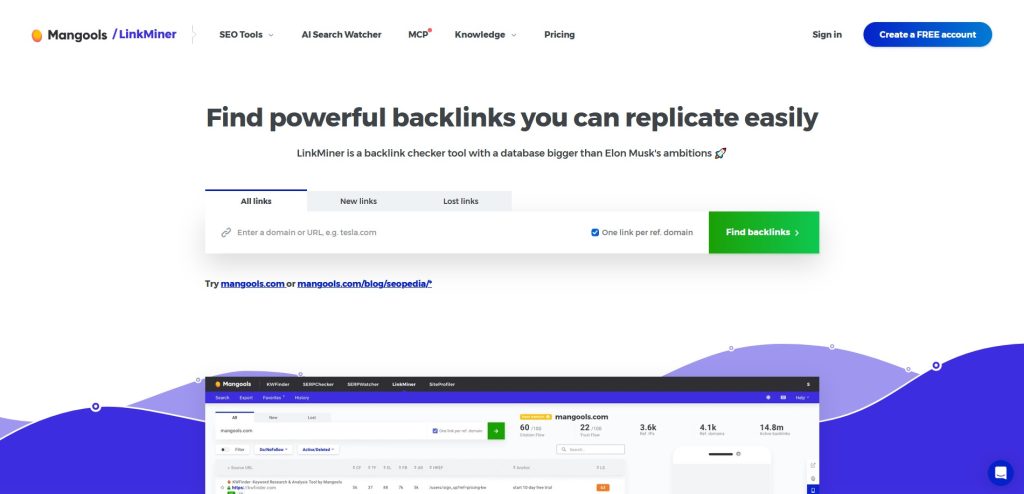
Pricing: Free Account creation; Basic: $30.50/month; Premium: $40.50/month; Agency: $70.50/month
Your competitor’s newest links are often your easiest prospects. Paste their domain or URL into Mangools LinkMiner and switch the source to New links. You’ll see every backlink they’ve earned in the last 30 days, and sites that linked recently are active, still publishing and more likely to say yes.
The live preview saves hours of tab-switching. Click any row and the linking page loads beside the table, scrolled to the exact link with the anchor highlighted. Star the good ones into favorites and export them as a CSV. Contacts and outreach happen outside Mangools.
How We Used LinkMiner for Link Prospecting
- Enter a Competitor: Type a competitor’s domain, URL or path into the search box and click Find backlinks.
- Group by Domain: Tick One link per referring domain to see each linking site only once.
- Pick a Link Source: Choose All links for the full index, New links for the last 30 days, or Lost links for backlinks a competitor recently lost.
- Filter for Quality: Use the DoFollow and Active quick buttons, then sort by Link Strength to bring the strongest links to the top.
- Preview and Save: Click a row to see the live linking page, then star the good prospects to add them to Favorites.
- Export the List: Click Load more to add 500 more backlinks, then download the list as a CSV.
Key Features
- New and Lost Links: Spot fresh competitor links and recently lost ones.
- Link Strength Score: Rank backlinks by Citation Flow, Trust Flow and referring domains.
- Live Backlink Preview: See each link in context without leaving the tool.
- Favorites Lists: Save promising prospects for later outreach.
- One Link per Domain: Remove site-wide and repeated links.
Pros
- Lost links show pages that recently dropped a competitor, which gives you a natural opening for a pitch.
- The live preview lets you check each link’s context in seconds.
- Plans start at $61/month, with a 10-day free trial and no card needed.
Cons
- No contact finder or outreach, so you need another tool to pitch.
- It analyzes one target at a time and has no link intersect view.
Setup & Learning Curve: Easy. Enter a domain, pick a link source, and you have prospects within a minute.
9. Moz Link Explorer
Best for: Small Businesses, Local SEOs
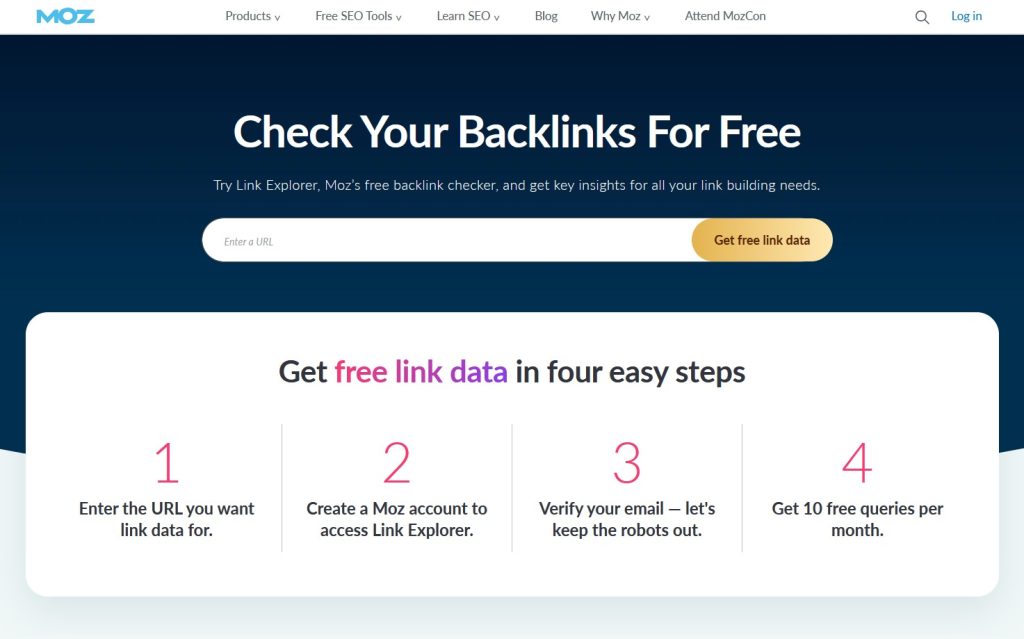
Pricing: Free
Moz Link Explorer puts a Spam Score next to every prospect, so you can skip risky sites before you pitch. Link Intersect compares your site with up to 5 competitors and shows the sites that link to them but not to you, each with its Domain Authority and Spam Score beside it.
Sort by Spam Score to push risky domains down, sort by DA to bring authoritative ones up, and check how many competitors each site links to. Good prospects go into a Link Tracking List, so you can watch whether they ever link to you. Contact details and outreach stay outside Moz.
How We Used Moz Link Explorer for Link Prospecting
- Enter Your Site: Open Link Intersect, add your site, and choose root domain, subdomain or exact page.
- Pick the Result Type: Decide whether results show root domains or exact pages.
- Add Competitors: Enter up to 5 competitors, setting each one as a root domain, subdomain or exact page. Use Add another URL for more fields.
- Find Opportunities: Click Find opportunities to see every site that links to your competitors but not to you.
- Sort and Vet: Sort by Domain Authority, Spam Score or the Sites that Intersect column to find the strongest, safest prospects.
- Track or Export: Tick the prospects you want and click Add to Link Tracking List, or export the results as a CSV.
Key Features
- Link Intersect: Find sites that link to up to five competitors but not to you.
- Domain Authority: Judge each prospect’s ranking strength at a glance.
- Spam Score: Flag risky domains before you pitch them.
- Link Tracking Lists: Monitor whether prospects link to you later.
- Top Referring Page: Jump to the exact page that links to a competitor.
Pros
- Spam Score sits next to every prospect, so risky sites are easy to skip.
- Link Tracking Lists show when a pitched site finally links to you.
- Every Moz Pro plan comes with a 30-day free trial.
Cons
- No contact finder or outreach built in.
- Link Intersect compares a maximum of five competitors.
Setup & Learning Curve: Easy. Enter your site and your competitors, click Find opportunities, and you’ll have a prospect list in under a minute.
FAQ
What should you do after building a prospect list?
After building a prospect list, sort the list by priority, putting sites that link to several competitors first, and find a contact for each one. Then send a short, personalized pitch and follow up if there’s no reply. In Uprankly, you can do all of this in one place: run Contact Enrichment, generate an AI opener for each prospect, schedule follow-ups after 1 to 14 days, and track the links you win in Link Monitor.
How do you find search queries for link prospecting?
Start with the keyword your page targets, then add link-type modifiers like “resource page”, “guest post” or “best tools”. Check what already ranks and reuse the phrases those pages use. A tool with keyword prospecting, like Uprankly or Pitchbox, skips this step by turning one keyword into a prospect list.
Which metrics should you use to filter link prospects?
Filter DR or DA, organic traffic and spam score to cut weak sites. Then check each site’s relevance to your topic and how many of your competitors it links to. A site linking to two or more competitors is usually your strongest prospect.
How do you vet link prospects before sending outreach?
Open each site and check that it’s live, on topic and publishing recently. Remove PBNs, broken pages, duplicates and sites you’ve already pitched. Then confirm there’s a real contact for the right person, not just a generic inbox.
Can you prospect for links without juggling many tools?
Yes. All-in-one tools like Uprankly find prospects by keyword or competitor gap, vet them, and add verified contacts in one workspace. That replaces the usual stack of a backlink tool, an email finder and an outreach app.
What’s next?
Pick one page you want to create backlinks for and run it through prospect sources this week: a competitor gap and a keyword search. The best link prospecting tools handle both, so compare the lists, keep the sites that show up in both, and vet them before you pitch.
If you want to do prospecting using keywords, personal inventory and vetted databases while getting verified contacts and outreach in one place, try Uprankly’s.